

Google Reviews are the reviews that appear in Google search results when people search for your business name and/or the products and services you offer. When your business receives word-of-mouth referrals, there is a good chance people will Google the name of your business before contacting you. It’s easy to see why having more positive Google reviews will help your business look better and get more potential customers calling you.
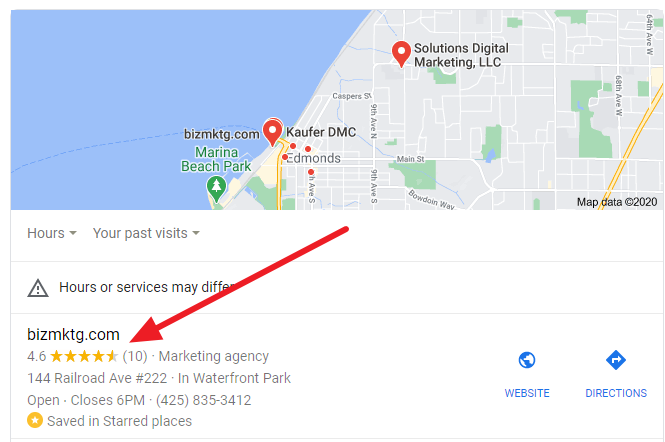
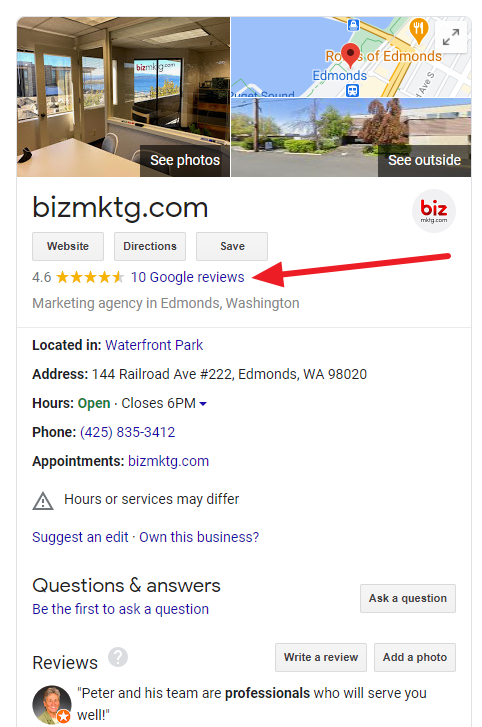
Here are two examples, the first from a Google Maps listing and the second from a Google My Business listing.
Here are three simple ways to get more Google Reviews for your business:
- Email – Ask your customers via email if they would like to review your business on Google and give them a link to your reviews form. It’s best to do this on at least a monthly basis for all the new customers from the past 30 days. New customers are the more likely to leave a review since they have recent experience with your business.
- Invoices, Statements, and Email Signatures – Add a review form link to the bottom of your businesses monthly invoices, account statements, and email signatures with a statement like this, “If you’re happy with the service you received, please review us here – link. If you’re not happy, please email or call us directly to let us know how we let you down so we can fix it. Email”
- Text Message – At the moment a customer is thanking you for the good job you did for them, ask them for a review. The easiest way to get a review from them is to save your reviews form link on your phone, then copy and paste it into a text message to them.
Here’s how to find and copy your Google Reviews form link:
- Login to your company’s Google My Business dashboard at https://business.google.com
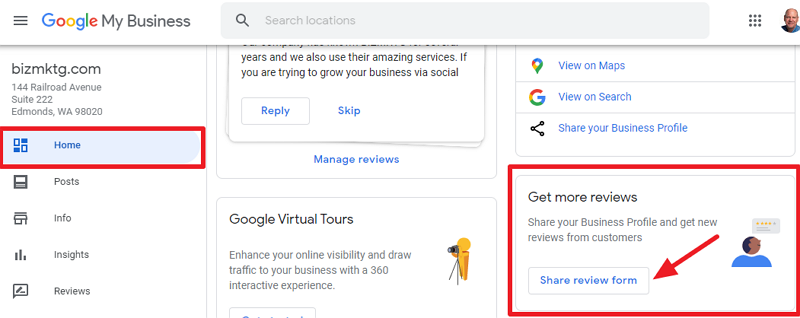
- On the “Home” tab, scroll down to “Get more reviews” and click “Share review form.”
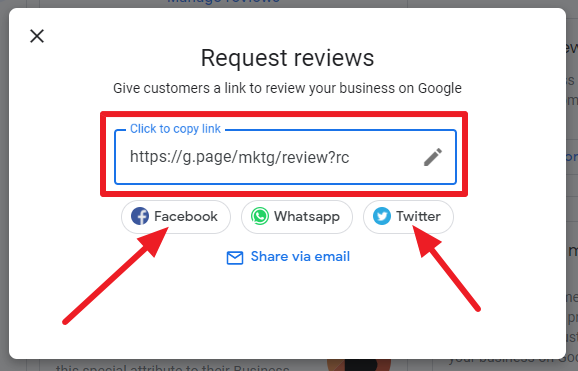
- Copy the Google reviews link and paste it into a Word document, Google Doc or Note.
- Here is a link from Google with additional info: https://support.google.com/business/answer/7035772?hl=en
At BizMarketing, we have offer an online reviews management service called “ReviewsOf.us.”
Our service helps you get more positive reviews, monitors the web for new reviews about your business and streams the positive reviews to your website. If you would like learn more about Reviewsof.us book a free marketing consultation with us.